The information in this article applies to Source & Summit print product customers.
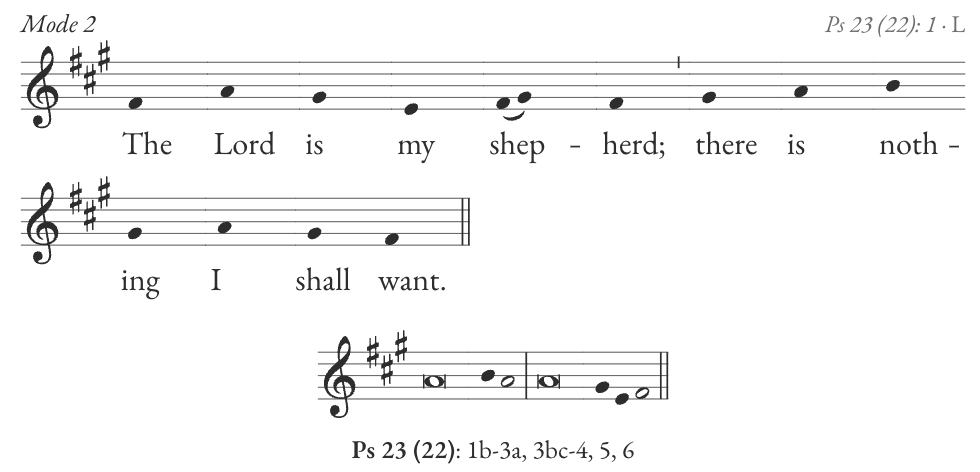
In Source & Summit printed materials, music can appear in three formats: modern notation, square notation, and pointed text.
Modern notation
Square notation
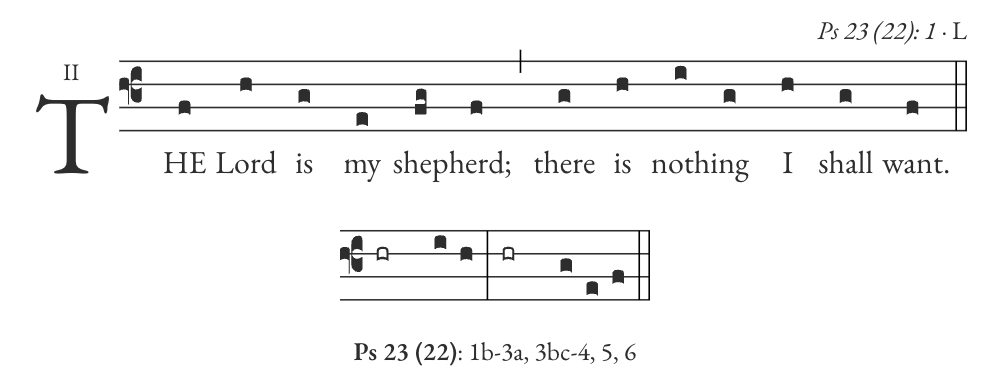
Pointed text
The Lord is my shepherd; * there is
nothing I shall want.
In the Digital Platform, you can switch between modern and square notation. But in the Missal, Entrance and Communion Antiphons are pointed for Sundays, Feasts, and Daily Mass.
What is a pointed text?
Pointed text uses markings to show how words are sung. When paired with a chanted tone, these markings show you when to change pitch and how to phrase music for the antiphon.
In the Source & Summit Missal, you’ll find eight antiphon tones on the back cover:
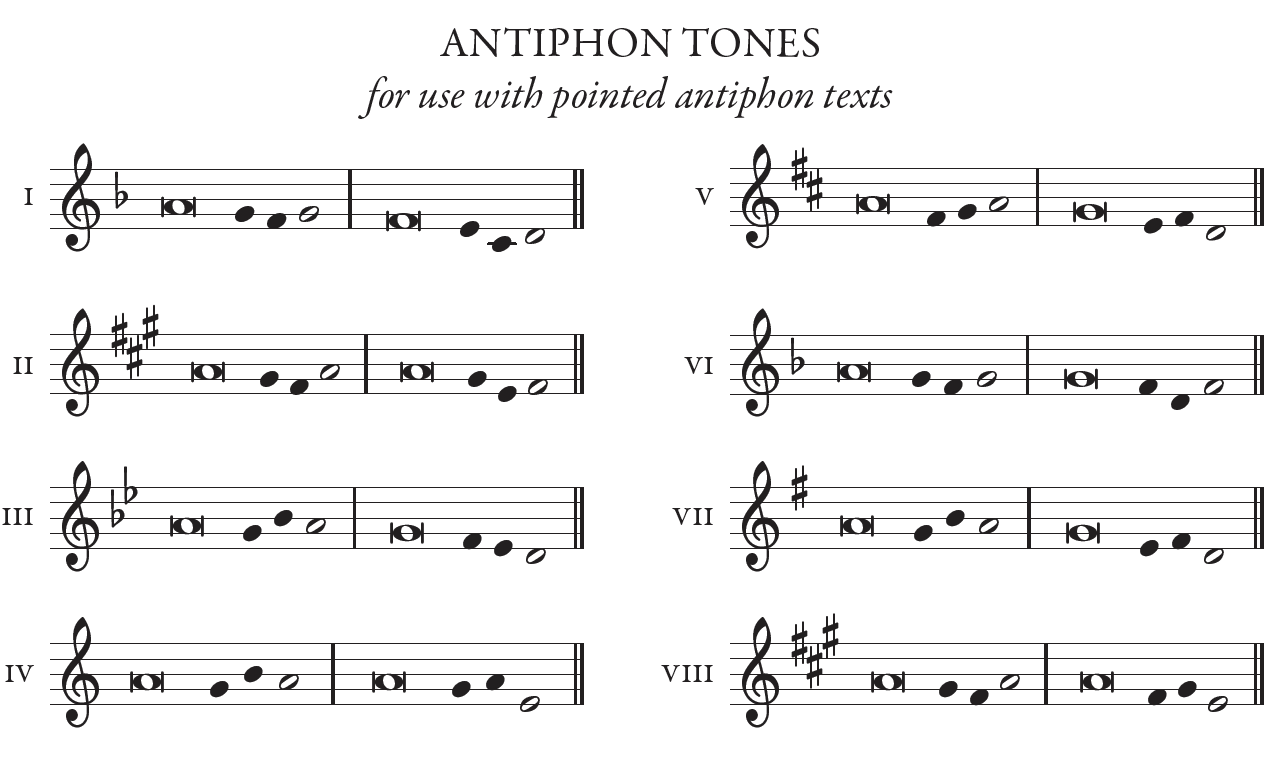
Pair an antiphon tone with the pointed text to sing the antiphon. You can pair all antiphon texts in the Source & Summit Missal with any of these tones, but the Roman numeral in the top-right corner shows the tone Source & Summit suggests.
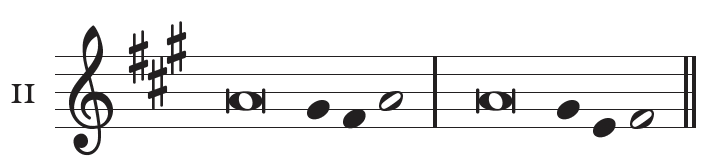
Antiphon tone II
💡 Tip
Pointed texts may be sung unaccompanied, but accompaniments to Antiphon tones are available to all Missal subscribers on the Digital Platform or in the Entrance, Offertory, & Communion Antiphon Accompaniment Books.
Interpreting pointed text formatting
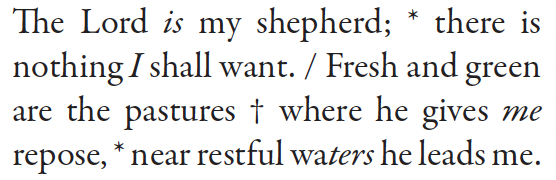
Throughout the antiphon text, you will repeat the full tone until the end of the text, from the starting pitch to the final note. Use the guide below to learn how to interpret the pointed text. As you read, you can reference the example tone (Antiphon Tone II) and pointed text (Psalm 23: pointed text) to follow along.
Pointed text marking | What it means |
|---|---|
Italics | Italicized words in the text show where the melody moves away from the starting pitch. |
Asterisk * | The asterisk marks the bar line separating the first and second parts of the antiphon tone. When you see the asterisk, take a pause. |
Flex ✝ | The flex marks a shorter pause within a long phrase. When you see the flex ✝, take a pause (but not as long as with the asterisk *). |
Slash / | The slash shows where to restart the antiphon tone. |
Bold | The bolded word is sung to the final note of the sequence. |
The benefits of using pointed text
Chanting the Psalms and Antiphons helps express the meaning and spiritual content of the text using a simple melody. Singing from a pointed text keeps the focus on the sacred words rather than on musical notes or meter.
Custom Pointing in the Digital Platform
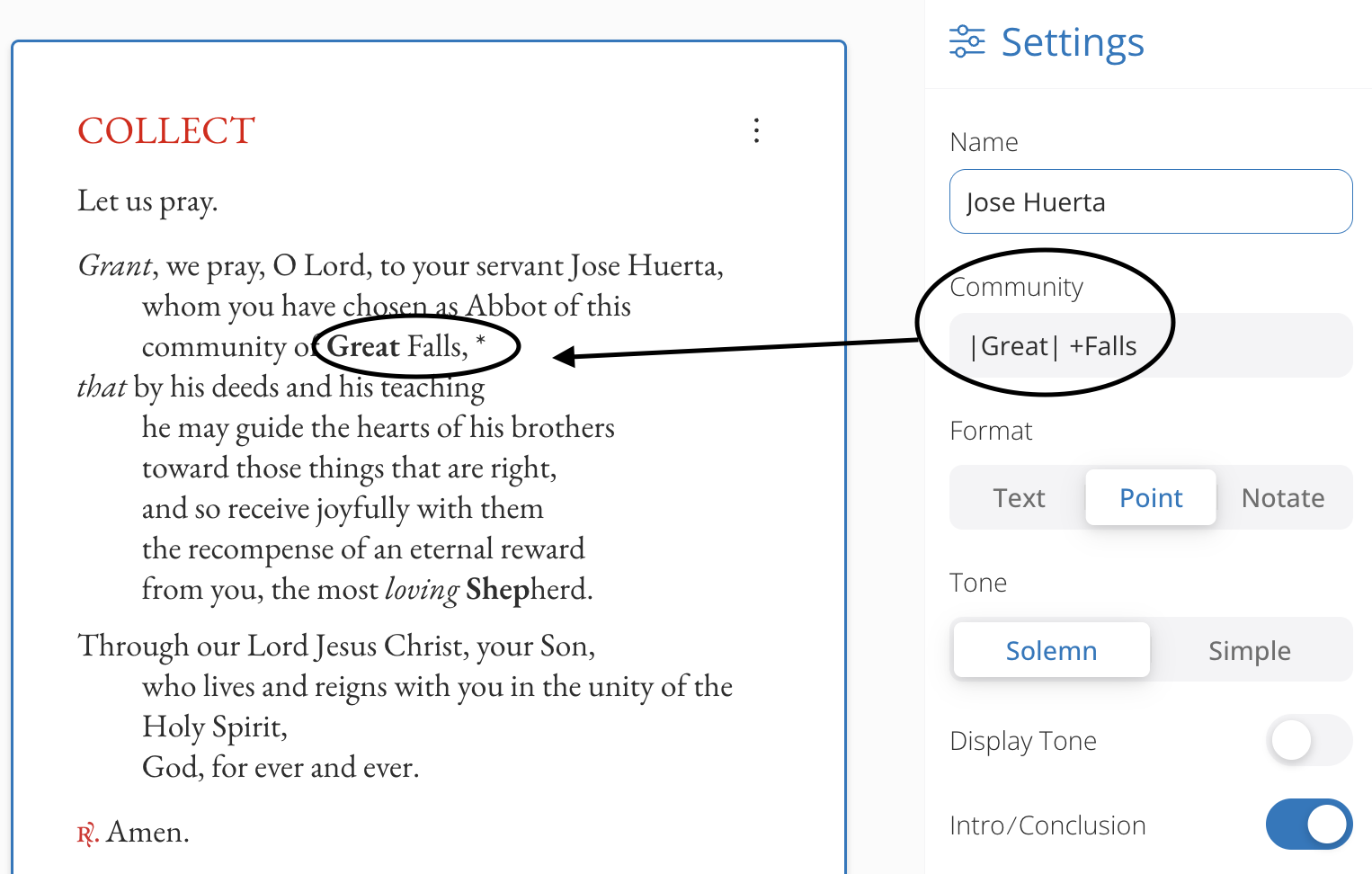
In some sections of the Digital Platform, you can insert custom pointing. This ensures that the emphasis is placed correctly in the text that you have added. See the key below for how to change the text formatting.
Keyboard Shortcut | |
|---|---|
|text| (see below for where to find the vertical bar on your keyboard) | bold |
+text | regular text |
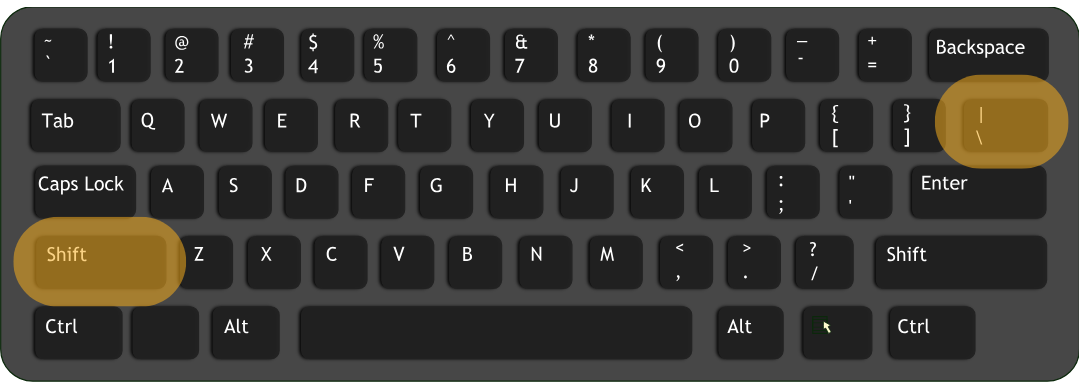
Type Shift + \ to create the vertical bar
By default, the system will italicize the final word of the phrase. Insert vertical bars around the text that you would like to appear in bold. If you would like a part of word to appear in regular text, add the plus sign.